

Product profile
Editorially ResearchedCursor
AI coding agent and editor built for ambitious software, with codebase-aware generation and parallel agents.

Cursor
Fit
Quick verdict
Best for
Developers who want an AI-centered editor with deep codebase context, multi-model choice, and parallel agents.
Not ideal for
Teams locked into a single corporate IDE standard with no flexibility, or non-developers seeking no-code app builders.
Primary strength
An AI-native editor surface that treats models as agents, with parallel worktrees, cloud agents, and Slack/iOS companions.
Primary limitation
Generated code still needs human review; pricing shifted to usage metering in 2025 and caused backlash; orgs must opt into Privacy Mode to avoid training on their code.
Profile
Overview
Cursor is the AI-native code editor from Anysphere (acquired by SpaceX for $60B in 2026) that lets developers chat, edit, and run multiple AI agents against a codebase. It now ships with iOS, iPad, Slack, CLI, and cloud agents, plus its own Grok 4.5 and Composer 2.5 models.
What sets it apartAI-native editor with parallel agents, cloud agents, and first-party Composer and Grok models.
Quick Verdict (TL;DR)
Cursor is the AI coding editor most developers reach for when autocomplete isn’t enough. It wraps a real IDE around chat, codebase-aware edits, and parallel agents, then ships iOS, iPad, Slack, CLI, and cloud companions on top.
The 2026 numbers that matter: Cursor hit a $3 billion annualized revenue rate in May 2026 (Bloomberg, Wikipedia), SpaceX agreed to buy parent Anysphere for $60 billion on June 16, 2026 (Reuters, CNBC), and 64% of the Fortune 500 are now customers (Cursor Enterprise). Pricing still starts at $0 Hobby and $20 Pro.
“My favorite enterprise AI service is Cursor. Every one of our engineers, some 40,000, are now assisted by AI and our productivity has gone up incredibly.” — Jensen Huang, President & CEO, NVIDIA (cursor.com)
If you write code for a living and want an AI-centered editor with strong codebase context, Cursor is still the one I’d try first in 2026. If you only need tab autocomplete, GitHub Copilot is simpler and cheaper.
What Cursor Is (and Isn’t) in 2026
Cursor is an AI coding agent and editor from Anysphere, a San Francisco company founded in 2022 by four MIT students: Michael Truell (CEO), Sualeh Asif, Aman Sanger, and Arvid Lunnemark (Wikipedia). It’s a full IDE-style editor, not a plugin, built around models that read your code, edit files, run terminals, and ship PRs.
In July 2026 Cursor is a different product from the one most people tried in 2024. The current product line includes:
- A desktop editor for macOS, Windows, and Linux.
- Cursor CLI for terminal-first workflows (cursor.com/blog/2-0).
- Cloud agents that run on isolated VMs (cursor.com/blog/2-0).
- A native iOS app launched June 29, 2026 (cursor.com/blog/ios-mobile-app) and iPad support on July 29, 2026 (cursor.com/changelog/ipad).
- A Slack integration that lets Cursor act on requests in channels and threads (cursor.com/changelog/slack-improvements).
- Two first-party models: Composer 2.5 (cursor.com/blog/composer-2-5) and Grok 4.5, built with SpaceXAI (cursor.com/blog/grok-4-5).
What Cursor is not: it’s not just a chatbot, not a plugin for VS Code (it’s a fork), and not a no-code tool. You still write and review code. The agent does the boring parts.
Who Should Use Cursor in 2026
Cursor fits a few specific profiles best:
- Professional engineers shipping code daily who want an editor that handles multi-file refactors and tests.
- Solo builders and indie hackers who need prototype velocity without giving up code quality.
- Startups and scale-ups that want a single tool across the team, with admin and privacy controls.
- Enterprise platform teams rolling out AI coding under SOC 2 and SAML, where Cursor’s Enterprise tier fits cleanly.
- Students and beginners in India who want a paid plan in INR with UPI (cursor.com/blog/cursor-start-india).
If your team is locked into a single corporate IDE standard, or you don’t write code at all, Cursor isn’t for you. Reviews from Forbes AI 50, the Enterprise page, and Reuters confirm the developer-skewed customer base (Forbes AI 50, Reuters).
Latest Models, Features & 2026 Updates
Cursor ships product updates almost weekly. The big ones from 2026 are worth knowing.
Cursor 2.0 and Composer (October 29, 2025)
Cursor 2.0 added an interface centered on agents rather than files, the ability to run up to eight agents in parallel using git worktrees or remote machines, and the first version of Composer, a frontier coding model Cursor says is 4x faster than peers (cursor.com/blog/2-0, cursor.com/changelog/2-0).
Composer 2.5 (May 18, 2026)
Composer 2.5 brought targeted reinforcement learning with textual feedback, 25x more synthetic tasks, and a Sharded Muon optimizer for MoE training. Cursor publishes a $0.50/M input and $2.50/M output price, plus a faster variant at $3.00/M input and $15.00/M output (cursor.com/blog/composer-2-5).
Grok 4.5 (July 8, 2026)
Grok 4.5 is Cursor’s first model that’s not specialized to coding. It was trained jointly with SpaceXAI on trillions of tokens of Cursor data, and ships with new safeguards reflecting cybersecurity capability (cursor.com/blog/grok-4-5).
Cursor Router (July 22, 2026)
Cursor Router is a model router that classifies each request and routes it to the best model based on cost and quality. Cursor’s own online A/B tests showed frontier-quality performance at 60% savings, and enterprise early access customers saved 30–50% versus running everything on Opus 4.8 (cursor.com/blog/router, cursor.com/changelog/router).
Cursor on iOS, iPad, and Slack
- iOS app launched June 29, 2026 (cursor.com/blog/ios-mobile-app).
- iPad support launched July 29, 2026 with full review surface, Apple Pencil markup, and Bitbucket/Azure DevOps SCM support (cursor.com/changelog/ipad).
- Slack agents share plans before they start, run in multi-repo environments, and post updates across channels (cursor.com/changelog/slack-improvements).
Other notable features in 2026
- Side chats and conversation search across thousands of transcripts (cursor.com/changelog/side-chat).
- Cursor for Enterprise with organizations, teams, and groups (cursor.com/blog/organizations).
- Bugbot for PR review on Teams and Individuals (cursor.com/blog/teams-pricing-june-2026, Wired).
- Cursor Start at ₹649/month in India with UPI (cursor.com/blog/cursor-start-india).
Pricing Breakdown (July 2026)
Cursor’s pricing structure changed in mid-2025 toward usage-based metering, which caused backlash and refunds (TechCrunch). The current plan lineup, verified on cursor.com/pricing, looks like this.
| Plan | Price (USD) | Best For | Key Limits & Features |
|---|---|---|---|
| Hobby | Free | Trying Cursor, students, hobbyists | Limited Agent requests, Composer access, no credit card |
| Pro | $20/month | Individual devs | Extended Agent limits, Composer + Grok usage, frontier models, MCPs/skills/hooks, cloud agents, Bugbot on usage-based billing |
| Teams Standard | $40/user/month (or $32 annual) | Small engineering teams | Centralized billing, team marketplace, Bugbot reviews, cloud agents, team privacy mode, SAML/OIDC SSO |
| Teams Premium | $120/user/month (or $96 annual) | Power users | 5x Standard Agent limits, 5x Standard usage, same SSO and admin |
| Enterprise | Custom | Fortune 500 / regulated orgs | Pooled usage, invoice billing, SCIM, model/MCP controls, audit logs, AI code tracking API |
| Cursor Start (India) | ₹649/month | Indian developers | Composer + Grok 4.5 medium, cloud agents, iOS, UPI payments |
Notable bits worth knowing:
- Usage-based overage is on by default in Pro and Teams. You can set spend limits to avoid surprises.
- Cursor Router is on by default for Teams, with admin controls to switch between Intelligence, Balance, and Cost modes (cursor.com/blog/router).
- First-party models pool gives Teams seats included usage for Composer 2.5 and Auto, separate from third-party API spend (cursor.com/blog/teams-pricing-june-2026).
- Bugbot runs on usage-based billing for individuals and on Teams Premium.
- Privacy Mode is free for any plan but admins must enable it org-wide (cursor.com/security).
Cursor vs Alternatives
The AI coding category is crowded. Here is how Cursor stacks up against the four alternatives I get asked about most, using data from each tool’s own site and Wikipedia as of July 2026.
| Tool | Type | Starting Price | Headline Strength | Headline Weakness |
|---|---|---|---|---|
| Cursor | Native AI editor | Free / $20 Pro | Multi-agent parallel work, model-agnostic with first-party Composer and Grok | Must tune Privacy Mode; usage-metered pricing can surprise |
| GitHub Copilot | IDE extension | Free / $10 Pro / $19 Business / $39 Enterprise | Deep GitHub integration, broadest IDE support, simple per-seat pricing | Less agentic than Cursor; weaker parallel workflows (GitHub, Wikipedia) |
| Claude Code | Terminal agent | $17 Pro / $100 Max 5x / $200 Max 20x | Strong on long-running refactors and codebase reasoning, native terminal flow | Less of an editor experience; you bring your own IDE (Anthropic, Wikipedia) |
| Windsurf (now part of Cognition) | Native AI editor | Free / $15/month | Cascade agent and Flows for chained tasks | Smaller model roster; smaller community (Wikipedia list) |
| Sourcegraph Cody / Amp | Code intelligence + agent | Varies | Strong code search across huge monorepos | Newer agent surfaces, steeper learning curve (Wikipedia) |
When to pick Cursor over each one
- Over Copilot if you want agents, not just completions, and you want first-party models tuned for code.
- Over Claude Code if you want an editor surface plus agents, not just a terminal.
- Over Windsurf if you want broader model choice (Composer, Grok, GPT-5.6, Opus 5, Gemini 3.1 Pro).
- Over Cody/Amp if you want cloud agents and iOS access baked in.
Real-World Use Cases
Cursor’s product page and customer stories describe concrete wins. A few worth quoting.
- Coinbase cut time from idea to production by 90% with Cursor Cloud Agents (cursor.com/blog/coinbase).
- Wayfair cut ML model costs by 90% (twice) by switching its workflow to Cursor (cursor.com/blog/wayfair).
- Faire doubled PR throughput using Cursor Cloud Agents (cursor.com/blog/faire).
- PayPal expanded what’s possible to build with AI using Cursor (cursor.com/blog/paypal).
- NVIDIA says every one of its roughly 40,000 engineers uses Cursor and “productivity has gone up incredibly” (cursor.com/enterprise).
- Stripe reports Cursor grew from hundreds to thousands of employees (cursor.com/enterprise).
From Cursor’s own July 20, 2026 research post, an agent swarm rebuilt SQLite in Rust from scratch and passed 100% of a held-out test suite within four hours, with one hybrid run costing $1,339 versus $10,565 for a single frontier model alone (cursor.com/blog/agent-swarm-model-economics). That’s a useful real-world data point on cost-vs-quality tradeoffs.
Limitations & Gotchas
Cursor is powerful but not magic. Be aware of these issues.
1. AI-generated code still needs review
Cursor’s own docs call out that agents can introduce bugs, insecure patterns, and dependency mistakes. Run tests, code review, and static analysis as you would with any third-party code (GitHub Copilot docs make the same point). Don’t trust agent output blindly.
2. The 2025 pricing backlash
In July 2025 Cursor switched from a 500-request Pro cap to usage-metered billing and users complained about unexpected charges. Cursor apologized, rolled back limits, and refunded affected accounts (TechCrunch, Wikipedia). Set spend alerts before you let agents run on heavy workloads.
3. Privacy Mode is opt-in for teams
With Privacy Mode on, your code isn’t used for training by Cursor or its providers. Without it, your inputs and suggestions may inform future models. Admins must turn this on org-wide; new team members inherit the team’s setting (cursor.com/security).
4. The April 2025 “Sam” support bot incident
An internal Cursor AI support agent named “Sam” invented a fake login policy in April 2025, causing user cancellations before staff intervened and refunded. Worth remembering that even Cursor’s own agents hallucinate (Ars Technica).
5. Acquisition uncertainty
SpaceX agreed to buy Cursor for $60B on June 16, 2026, expected to close Q3 2026 (Reuters, CNBC). Pricing, leadership, and roadmap risk changing after close. Cursor will sit under SpaceXAI.
6. Editor lock-in
Cursor is a fork, not a VS Code plugin. Switching editors has a real cost in muscle memory, extensions, and remote setup. Most VS Code extensions work, but some don’t.
Privacy, Security & Compliance
Cursor publishes a Security page (last updated April 24, 2026) and a Privacy Policy (last updated October 6, 2025). Here’s what matters for buyers.
- SOC 2 Type II certified. Report available on request via trust.cursor.com.
- Privacy Mode prevents training by Cursor and contracted model providers when enabled (cursor.com/security).
- GDPR and CCPA compliant, with DPA available for enterprise (cursor.com/enterprise).
- AES-256 at rest, TLS 1.2+ in transit.
- SAML-based SSO with Okta, Azure AD, Google Workspace, and SCIM user provisioning.
- Audit logs covering 19 event types for security changes, asset edits, and configuration updates (cursor.com/blog/enterprise).
- No China-based subprocessors, per Cursor’s stated policy.
- Zero data retention agreements with model providers (cursor.com/enterprise).
- Hooks let admins audit, block, or extend agent behavior with custom scripts (cursor.com/blog/enterprise).
For most regulated teams, that’s enough to start a pilot. Larger orgs should still do their own threat model.
FAQ
What is Cursor?
Cursor is an AI-native code editor made by Anysphere (acquired by SpaceX for $60B in June 2026). It bundles chat, inline edits, and parallel agents that read and edit your code. It’s model-agnostic and ships with Cursor’s own Composer and Grok models plus third-party frontier models.
How much does Cursor cost in 2026?
Cursor Hobby is free. Pro is $20/month. Teams Standard is $40/user/month (or $32 annual) and Premium is $120/user/month (or $96 annual). Enterprise is custom, and Cursor Start in India is ₹649/month with UPI. All paid plans include usage-based overage with admin controls.
Does Cursor train on my code?
Only if Privacy Mode is off. With Privacy Mode enabled, Cursor guarantees that code data is not used for training by Cursor or its model providers. Admins can enable Privacy Mode org-wide, and new team members inherit the team’s setting.
What models does Cursor support?
As of July 2026, Cursor offers Composer 2.5 and Grok 4.5 (Cursor’s own), plus GPT-5.6 Sol, Claude Opus 5, Gemini 3.1 Pro, Fable 5 Max, and other frontier options. Cursor Router can pick the best one per request.
Is Cursor better than GitHub Copilot?
For multi-file agentic work and parallel agents, most reviewers pick Cursor. For pure autocomplete in VS Code with the simplest per-seat pricing, Copilot is still hard to beat. Many shops run both.
What is the SpaceX deal for Cursor?
On June 16, 2026, SpaceX agreed to acquire Anysphere, Cursor’s parent, for $60 billion in an all-stock deal. Cursor will operate under SpaceXAI. The deal is expected to close in Q3 2026.
Can I run Cursor on my phone?
Yes. Cursor for iOS launched June 29, 2026 and iPad support followed on July 29, 2026. You can launch cloud agents from your phone or steer agents running on your computer.
Is Cursor good for beginners?
Yes for the Free and Start plans. Cursor’s chat and inline edits are approachable, but you still need basic programming judgment. Privacy Mode and Slack integration make it friendly for first-time AI users inside a team.
What is Cursor Router?
Cursor Router is Cursor’s model router. It classifies each request and sends it to the most capable model for the task, with three modes: Intelligence, Balance, and Cost. In Cursor’s own tests, it delivered frontier-quality output at 60% lower cost.
Will Cursor’s pricing change after the SpaceX acquisition?
Nothing has been announced. Existing plans and pricing are unchanged as of July 31, 2026. Watch for updates after the deal closes in Q3 2026.
Final Verdict
Cursor is the AI coding editor I’d still recommend first in 2026 for most professional developers. The model-agnostic approach, the parallel agents, the cloud agents, and the iOS/iPad/Slack surface give it more reach than any single competitor. The first-party Composer and Grok models, plus Cursor Router for cost control, make it practical to run daily.
The honest caveats: pricing is metered, Privacy Mode is opt-in, and the SpaceX acquisition introduces some roadmap uncertainty. If those bother you, GitHub Copilot is the simpler choice, and Claude Code is the better pure-terminal agent.
Bottom line: try the Free plan. If you write code every day, Pro at $20 is worth the time it saves. If you lead a team, start a Teams trial, turn on Privacy Mode, and watch your usage.
Jobs to be done
Use cases
- 01AI-assisted coding inside a full editor environment
- 02Multi-file refactors and feature implementation help
- 03Codebase Q&A and onboarding to unfamiliar repos
- 04Test generation and debugging assistance
- 05Faster prototyping for full-stack applications
- 06Long-running parallel cloud agents on shared repos
Capabilities
Features
AI coding
- Inline tab autocomplete and multi-line edits
- Chat-based code generation with codebase context
- Multi-file editing across repositories
Agents
- Up to 8 parallel local agents (Cursor 2.0)
- Cloud agents with isolated VMs and 99.9% reliability
- Automations running on schedules and triggers
- Bugbot for PR review
- Side chats, conversation search, plan mode
Editor
- Full IDE-style editing environment
- Voice mode, plan mode, browser tool
- Sandboxed terminals and team commands
Models
- Grok 4.5 (Cursor + SpaceXAI), Composer 2.5, GPT-5.6 Sol, Opus 5, Gemini 3.1 Pro, Fable 5
- Cursor Router for cost-aware model selection
Team
- Paid plans for higher limits and team usage
- SAML/OIDC SSO, SCIM, audit logs
- Privacy Mode and zero-retention agreements with model providers
Tradeoffs
Strengths & limitations
Strengths
- Built as an AI-first coding environment, not just a plugin
- Best-in-class parallel agents and cloud agents
- Model-agnostic with first-party Composer and Grok models
- 64% of Fortune 500 use Cursor, strong enterprise traction
- iOS/iPad, Slack, and CLI extend the surface beyond the editor
Limitations
- Generated code can be wrong, insecure, or stylistically inconsistent
- Requires review, tests, and secure coding practices
- Pricing changed to usage-metered in mid-2025 and upset users
- Privacy Mode must be enabled by org admins to block training
- Some users report refusals or model quirks on frontier models
Evidence
Sources
- 01
- 02
Related
Related guides & workflows

Best ChatGPT Alternatives in 2026
The best ChatGPT alternatives in 2026 are Claude for general work, Perplexity for cited research, Notion AI for workspace knowledge, GitHub Copilot for GitHub-first coding, and Cursor for agent-led software development.

Best Cursor Alternatives in 2026
Hands-off editorials guide to the five Cursor alternatives we trust most in 2026 — GitHub Copilot, Windsurf (now Devin Desktop), Claude Code, Cody, and Tabnine — with verified 2026 pricing, model access, and where each one wins.
Best GitHub Copilot Alternatives
Looking beyond GitHub Copilot for AI coding help in 2026? These alternatives cover AI-native editors, terminal agents, and enterprise-grade IDE assistants — without fake rankings or invented scores.
Developer AI Coding Workflow
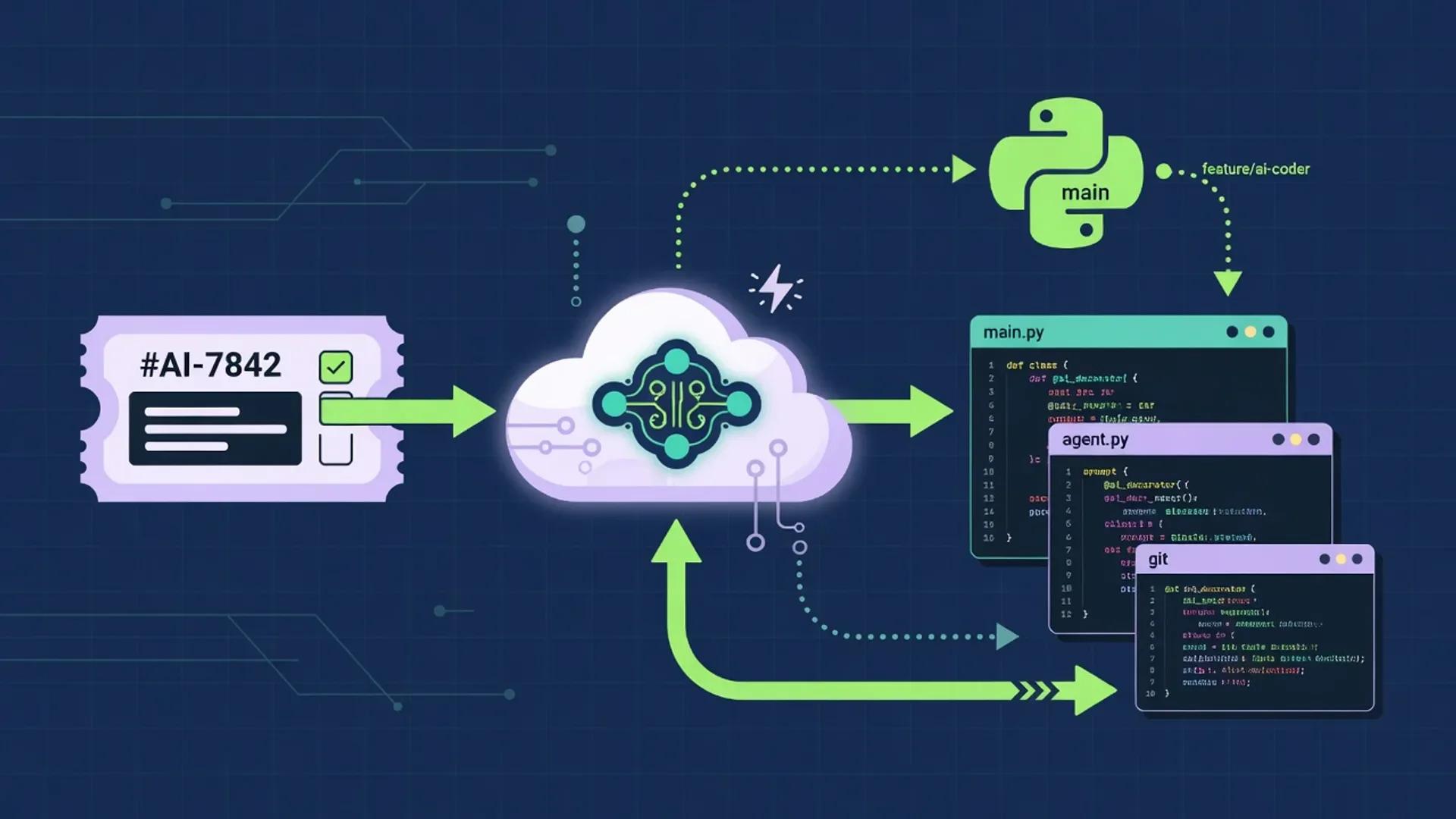
A multi-step AI coding workflow that keeps humans in charge of framing, architecture, security, and merge decisions while agents handle research, boilerplate, test scaffolding, and review. Drawn from primary docs and standards published between July 1 and August 2, 2026.

Best AI Tools for Developers (July 2026)
A research-grounded shortlist of the AI tools software engineers keep reaching for in July 2026: GitHub Copilot, Cursor, ChatGPT, Claude, and Perplexity. Pricing, model lineup, and product capabilities pulled from official vendor documentation in late July 2026.
Catalog
Related products

GitHub Copilot
Editorially ResearchedGitHub’s AI pair programmer for code completion, chat, and agent-style assistance across the editor, terminal, and GitHub itself.
Stands out · The mainstream AI pair programmer with wide IDE coverage and a multi-agent desktop app, CLI, and SDK that all share one runtime.
Related
Compare this product
Next step
Explore Cursor
Visit the official site, or browse the full catalog for similar tools.