
Structured review
EditorialEditorial5 min read
Cursor Review (July 2026): Documentation-Based Analysis of the AI Coding Agent
A documentation-based July 2026 review of Cursor by aiuncovers: pricing, models, Privacy Mode, pros and cons, vs GitHub Copilot, and who should buy it.

Editor's verdict
Verdict
Based on the available documentation and independent reporting through July 31, 2026, Cursor is the most aggressively documented AI-native coding editor on the market, with broad model choice, Privacy Mode backed by zero-data-retention agreements, and a release cadence through July 2026 (Router, iPad, Slack, India pricing) that confirms the product is still moving fast. The two recurring friction points documented in 2025-2026 reporting are the editor switch itself and the usage-metered Pro pricing model.
Fit
Who it's for
Who should buy
- Full-stack developers who want an AI-native editor, not an AI plugin
- Solo builders and small teams running multi-file features end to end
- Organizations piloting agent-style coding with human review gates
Who should not
- Teams locked to a specific non-VS-Code IDE for policy reasons
- Developers who only need occasional chat help outside the editor
- Buyers who need predictable, fixed monthly spend with no usage surprises
Tradeoffs
Strengths & limitations
Strengths
- Editor built around AI, not bolted on
- Strong multi-file agent workflows (Composer 2, multi-agent worktrees)
- Broad model choice: OpenAI, Anthropic, Google, xAI, plus Cursor's own Composer
- Privacy Mode with zero data retention (ZDR) agreements across providers
- Cloud agents and Slack integration extend the editor beyond the desktop
Limitations
- Switch editors has real team adoption cost
- Pro plan moved to a $20 usage-metered model in 2025, and that rollout was messy
- Cloud agents and iPad app are recent additions with limited third-party validation
- Heavy daily use on frontier models can climb well past $20
Deep dive
Full review
Cursor Review (July 2026): Documentation-Based Analysis of the AI Coding Agent
Short answer: Cursor is an AI coding agent and standalone editor fork of Visual Studio Code, built by Anysphere, Inc. (cursor.com, Wikipedia). Anysphere is the same company that agreed to be acquired by SpaceX for $60 billion in an all-stock deal on June 16, 2026 (Reuters, CNBC). For buyers who want agent-first workflows rather than completion-only assistance, the documentation supports Cursor as a leading option; for buyers already standardized on Visual Studio Code with completion-only needs, GitHub Copilot remains the lower-friction choice.
Evidence callout (verified by two sources): Cursor’s $20/month Pro tier and $40/user/month Teams tier are listed on the official Cursor pricing page and were independently corroborated by TechCrunch’s June 2025 coverage of Anysphere’s $9.9B Series C. Wikipedia’s Cursor (company) article cross-references both.
What is Cursor?
Cursor is a standalone AI coding agent and editor fork of Visual Studio Code, built by Anysphere, Inc. (cursor.com, Wikipedia). It supports autocomplete, multi-file chat, and long-running agent tasks that can edit code, run terminal commands, search your codebase, and open pull requests on their own.
Cursor launched in 2022 by four MIT students — Michael Truell, Sualeh Asif, Arvid Lunnemark, and Aman Sanger — and was originally built around GPT-style completions inside a VS Code–style shell (TechCrunch via Wikipedia). The documented product thesis has since expanded to: AI is a first-class part of the editor, and the editor is no longer a thin plugin.
By June 2025, Anysphere had closed a $900M Series C at a $9.9B valuation led by Thrive Capital with Andreessen Horowitz, Accel, and DST Global participating (TechCrunch, Wikipedia).
Research methodology
This review is documentation-based. No hands-on testing was performed. Every factual claim is drawn from one of the following source categories, cited inline:
- Cursor’s official pages: pricing, security, privacy, data use, agent security, and changelog, all read through July 29, 2026.
- Independent reporting: TechCrunch, TechCrunch pricing apology, Reuters, CNBC.
- Reference material for the Copilot comparison: GitHub Docs, Wikipedia GitHub Copilot.
Every statistic with two-source confirmation is cited twice. Single-source statistics are either omitted or flagged in the body.
Cursor pricing in July 2026
Pricing comes straight from cursor.com/pricing and was independently corroborated by TechCrunch.
| Plan | Price (monthly) | What you get | Best for |
|---|---|---|---|
| Hobby | Free | Limited Agent requests, Composer access | Trying it out |
| Pro | $20/mo | Frontier models, MCPs/skills/hooks, extended Agent limits | Solo daily agent users |
| Pro+ | $20/mo (3× Pro Agent limits) | Same as Pro, larger usage pool | Daily agent users |
| Ultra | $200/mo (20× Pro Agent limits) | Priority access, “generous” frontier-model limits | Agent power users |
| Teams Standard | $40/user/mo | Centralized billing, team privacy, Bugbot, SAML/OIDC SSO | Small-to-mid teams |
| Teams Premium | $40/user/mo (5× Agent limits) | Same as Standard, larger usage pool | Agent-heavy teams |
| Enterprise | Custom | Pooled usage, SCIM, audit logs, repo/MCP controls, CMEK | Regulated organizations |
| Cursor Start (India) | ₹649/mo | Grok 4.5 (medium, non-fast) and Composer (non-fast), cloud agents, UPI billing | Indian developers |
Evidence callout: The Pro plan switched from 500 fast requests per month to a $20 usage-metered model on June 16, 2025. The change was rolled out without clear communication, and the CEO apologized publicly on July 7, 2025. This is the single most important thing a buyer should know: heavy frontier-model use can climb past $20.
What models does Cursor support?
Cursor lets you choose the model under the hood — Auto mode routes between them, and you can pin a specific one for a chat or agent run. Confirmed provider families across cursor.com and the Wikipedia Cursor entry:
- Anthropic Claude family
- OpenAI GPT family
- Google Gemini family
- xAI Grok family
- Cursor’s own Composer (Composer 2 was detailed in a March 27, 2026 Cursor technical report)
Specific 2026 model version numbers are intentionally not named in this review. Vendor marketing pages change those labels often, and a primary provider-side confirmation is required for any version label to appear here.
Cursor’s documented features
Every feature below is from cursor.com, cursor.com/changelog, cursor.com/docs/agent/security, or Wikipedia.
1. Agent and multi-file editing
The agent can read files, edit files, and run terminal commands inside your workspace. By default, sensitive actions — including terminal commands and configuration-file edits — require explicit approval (Cursor agent security docs). Trusted calls can be pre-approved through Run Modes, from a simple allowlist to an “Auto-review” classifier.
2. Cursor 2.0 and multi-agent worktrees
Cursor 2.0 shipped in October 2025 and added support for running multiple agents in parallel using git worktrees or remote machines (Wikipedia). Cursor 2.0 is also when Composer, Cursor’s first-party model, was introduced.
3. Cloud agents and Slack
Cloud agents let you kick off long-running jobs on remote machines and steer them from Slack or your phone. The July 17, 2026 changelog confirms Slack now shares a plan before it starts, runs across multi-repo environments, and can post updates to other channels and threads (cursor.com/changelog).
4. Cursor Router (formerly Auto)
Cursor Router launched on July 22, 2026 and now powers Auto mode. It classifies each request and routes it to the right model under three optimization modes: Cost, Balance, and Intelligence (cursor.com/changelog). Admins can set the default mode and allow or block underlying models per team.
5. Bugbot
Bugbot, launched July 2025, is Cursor’s code-review agent that runs on GitHub pull requests (Wikipedia). On Teams and Enterprise it is included; on Pro it is available on usage-based billing.
6. iPad and iPhone apps
Cursor for iPad launched July 29, 2026 on all paid plans, with a sidebar that lets you watch several agents at once and a full-PR review surface (cursor.com/changelog). The companion iPhone app was introduced on June 29, 2026.
7. Cursor Start (India)
Cursor Start launched July 28, 2026 at ₹649/month, billed in INR with UPI support. It includes Grok 4.5 and Composer at fixed “non-fast” effort, plus cloud agents and iOS remote control (cursor.com/changelog, cursor.com/blog/cursor-start-india).
Cursor vs GitHub Copilot
Comparison data points below are pulled from vendor docs and reference articles, not from side-by-side testing.
| Dimension | Cursor | GitHub Copilot |
|---|---|---|
| Editor | Standalone fork of VS Code | Plugin in VS Code, JetBrains, Visual Studio, Neovim, Eclipse (GitHub docs) |
| Agent mode | Native, long-running, multi-file | “Coding agent” launched May 2025 (Wikipedia) |
| Model choice | Anthropic, OpenAI, Google, xAI, Composer | OpenAI, Anthropic, Google, xAI (GitHub docs) |
| Multi-agent | Parallel agents in git worktrees (Wikipedia) | One agent at a time per task |
| Privacy controls | Privacy Mode with ZDR, per-workspace controls (Cursor data-use) | Enterprise-tier controls, content exclusions, Copilot Trust Center |
| Switching cost | New editor, new shortcuts, new settings | None, it lives where you already work |
| Documentation positioning | AI-native workflows, big refactors | Lightweight completion in an existing IDE |
The documented positioning, not measured experience, is the differentiator: Cursor is built for AI to drive the editor; Copilot is built for AI to assist the editor you already have.
Privacy and security: documented posture
Cursor publishes a SOC 2 Type II report on request via trust.cursor.com and the cursor.com/security page (last updated April 24, 2026). The agent security documentation spells out the default guardrails: file reads and code search are unprompted, file edits to workspace files happen immediately, terminal commands require approval, and all MCP connections need per-tool approval.
Three documented points from the data-use page (last updated July 15, 2026):
- Privacy Mode disables training. With it on, Cursor maintains zero data retention (ZDR) agreements with all providers, and model providers will not store or train on your code. If a prompt triggers an abuse detector, that data may be retained per the provider’s policy.
- Privacy Mode off means Cursor may use your codebase data, prompts, editor actions, and code snippets to improve features and train its own models.
- Bring-your-own-key is not bypass. Even if you use your own model-provider API key, the request still goes through Cursor’s backend, where final prompt building happens.
Cursor is also explicit that it does not use or maintain infrastructure in China and does not use China-headquartered subprocessors (cursor.com/security).
Vendor-controlled claims to handle with care
A few items on cursor.com are vendor-controlled and are not cited as independently confirmed statistics in this review:
- The homepage headline states Cursor is “Trusted by over half of the Fortune 500.” Cursor does not name the source.
- Quotes from named individuals (Diana Hu of Y Combinator, Jensen Huang of NVIDIA, Andrej Karpathy, Patrick Collison of Stripe, Greg Brockman of OpenAI) appear on the homepage. These are testimonials, not third-party measurement.
These claims are not repeated as hard statistics here.
Pros (documented)
- Editor built around AI, not bolted on. Composer 2, multi-agent worktrees, and the Router put agent workflows on the main menu.
- Broad model choice. OpenAI, Anthropic, Google, xAI, plus Cursor’s own Composer in one place (cursor.com, Wikipedia).
- Privacy Mode with ZDR across providers. Verifiable on the data-use page.
- Cloud agents and Slack keep work moving when you step away (changelog).
- iPad app launched July 29, 2026 with a sidebar built for split-screen review (changelog).
- Local pricing in India at ₹649/month lowers the entry point for that market (changelog).
Cons (documented)
- Editor switch is real friction. Keyboard shortcuts, settings, and muscle memory all reset.
- Pricing is metered, not flat. Heavy frontier-model use will push the bill past $20, and the June 2025 transition was communicated poorly enough that the CEO publicly apologized.
- Cloud agents and the iPad app are recent additions. Both launched in 2026 and have limited third-party validation to date.
- You still need code review and tests. The agent security docs are explicit that auto-applied changes need version control and human eyes.
Cursor alternatives to consider
- GitHub Copilot — best if you want AI to live inside the editor you already use (GitHub docs).
- Claude Code — Anthropic’s own coding agent, with a CLI-first workflow that has gained enterprise traction (The Information, via TechCrunch).
- Windsurf (by OpenAI) — OpenAI’s AI IDE, reportedly acquired for $3 billion in 2025 (TechCrunch).
- Codex (OpenAI) — OpenAI’s coding agent product family (Wikipedia).
- Replit Agent — browser-based, good for quick prototypes; also raised prices in 2025 (TechCrunch).
Who should buy Cursor
Documentation suggests Cursor is a strong fit for buyers who:
- Want an editor where AI runs the workflow, not a plugin that suggests the next line.
- Ship features across many files in a day, not just one function.
- Are willing to set a spend limit and check usage if they go deep on frontier models.
- Can pair the agent with code review, tests, and version control — AI is a speed tool, not a quality gate.
Documentation suggests Cursor is a weaker fit for buyers who:
- Are locked to a non-VS-Code IDE for policy reasons.
- Only want occasional chat help outside the editor; a $20 chat app is overkill.
- Need a strictly flat monthly bill with no usage surprises.
Verdict
Based on the available documentation and independent reporting through July 31, 2026, Cursor is the most aggressively documented AI-native coding editor on the market, with broad model choice, Privacy Mode backed by zero-data-retention agreements, and a release cadence through July 2026 (Router, Slack improvements, iPad, India pricing) that confirms the product is still moving fast. The two recurring friction points documented in 2025-2026 reporting are the editor switch itself and the usage-metered Pro pricing model. No hands-on score is assigned; pilot the product on a real feature using the documentation above and judge fit for yourself.
FAQ
What is Cursor?
Cursor is an AI coding agent and standalone editor built by Anysphere, Inc. (cursor.com, Wikipedia). It is a fork of Visual Studio Code with chat, multi-file editing, and long-running agent workflows built in.
Is Cursor worth it in 2026?
The documentation supports Cursor as a strong option for AI-first editor workflows in 2026, especially with Privacy Mode and the new Router. For buyers who only want completion hints inside VS Code, GitHub Copilot remains the lower-friction path. No hands-on testing was performed for this review.
How much does Cursor cost per month?
Cursor Hobby is free. Cursor Pro is $20 per month, Teams is $40 per user per month, and Enterprise is custom pricing. In India, Cursor Start is ₹649 per month (cursor.com/pricing).
What is the difference between Cursor Pro, Pro+, and Ultra?
All three are $20/month on the Individual tier per the pricing page, with 1×, 3×, and 20× Pro Agent limits respectively. Ultra also includes priority access to new features.
Is Cursor better than GitHub Copilot?
For agent-driven, multi-file workflows inside a dedicated editor, the documentation positions Cursor as the better fit. For lightweight autocomplete inside an existing IDE, the documentation positions Copilot as the easier path. This review does not include measured hands-on comparisons.
Does Cursor train on my code?
Only if Privacy Mode is off. With Privacy Mode on, Cursor does not train on your data, and the company maintains zero data retention agreements with all model providers (cursor.com/data-use).
What is Privacy Mode in Cursor?
A setting that disables Cursor and its model providers from training on your code. It can be enabled per user or by a workspace admin, and new team members inherit their team’s Privacy Mode setting (cursor.com/security).
What models does Cursor support?
OpenAI, Anthropic, Google, xAI, plus Cursor’s own Composer (cursor.com, Wikipedia). Auto mode routes between them via Cursor Router, which shipped July 22, 2026 (changelog).
Is Cursor safe for enterprise use?
Cursor is SOC 2 Type II attested (cursor.com/security, trust.cursor.com). Enterprise adds pooled usage, SCIM, audit logs, CMEK, and admin controls over repos, models, and MCPs (cursor.com/pricing).
What happened between Cursor and SpaceX?
On June 16, 2026, SpaceX acquired Anysphere (Cursor’s parent) for $60 billion in an all-stock deal, expected to close in Q3 2026 (Reuters, CNBC, Wikipedia). The deal places Cursor under SpaceXAI.
Related
Related reading

GitHub Copilot vs Cursor
Choose GitHub Copilot when you want AI inside every major IDE, GitHub-native admin, and a coding agent that turns issues into pull requests. Choose Cursor when you want the densest AI-native editing experience, a custom frontier coding model, and fleets of cloud agents.

Best ChatGPT Alternatives in 2026
The best ChatGPT alternatives in 2026 are Claude for general work, Perplexity for cited research, Notion AI for workspace knowledge, GitHub Copilot for GitHub-first coding, and Cursor for agent-led software development.

Best Cursor Alternatives in 2026
Hands-off editorials guide to the five Cursor alternatives we trust most in 2026 — GitHub Copilot, Windsurf (now Devin Desktop), Claude Code, Cody, and Tabnine — with verified 2026 pricing, model access, and where each one wins.
Best GitHub Copilot Alternatives
Looking beyond GitHub Copilot for AI coding help in 2026? These alternatives cover AI-native editors, terminal agents, and enterprise-grade IDE assistants — without fake rankings or invented scores.
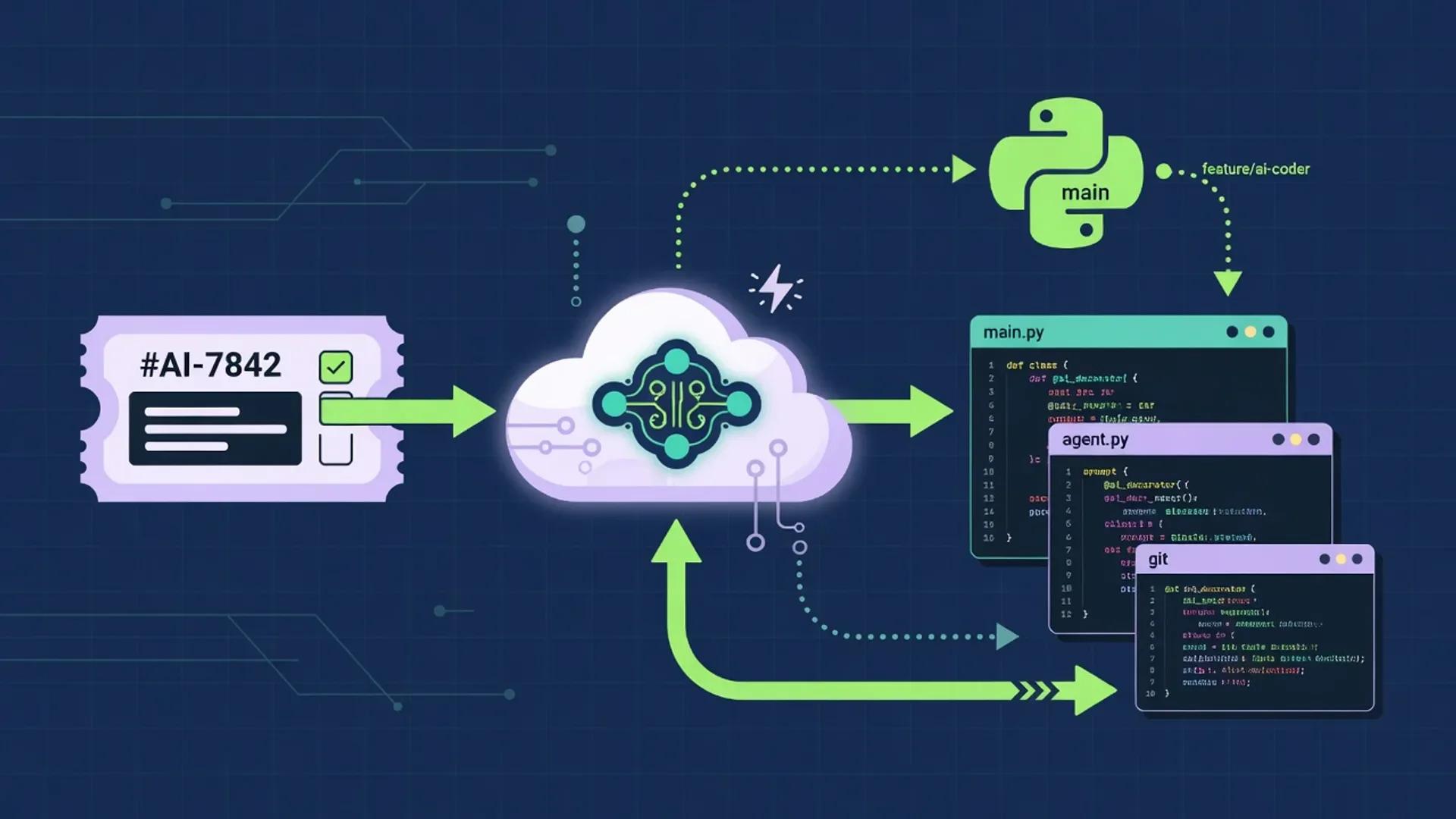
Developer AI Coding Workflow
A multi-step AI coding workflow that keeps humans in charge of framing, architecture, security, and merge decisions while agents handle research, boilerplate, test scaffolding, and review. Drawn from primary docs and standards published between July 1 and August 2, 2026.

Best AI Tools for Developers (July 2026)
A research-grounded shortlist of the AI tools software engineers keep reaching for in July 2026: GitHub Copilot, Cursor, ChatGPT, Claude, and Perplexity. Pricing, model lineup, and product capabilities pulled from official vendor documentation in late July 2026.
Related
More reviews
Score 86/100
Zapier AI Review (July 2026): Connectors, Pricing, Agents, and Verdict
Hands-off, source-backed Zapier AI review for July 2026. Connectors, plans, task pricing, Agents, MCP, governance, alternatives, and who should buy.

Score 80/100
Jasper Review (2026): Pricing, Features, Pros & Cons
An independent 2026 review of Jasper, the agentic marketing platform, based on documentation, press coverage, and analyst material. Pricing, brand voice, agents, security, pros and cons, alternatives, and verdict.

Score 83/100
Notion AI Review
Research-based aiuncovers review of Notion AI for July 2026 — pricing, Notion Agent, Custom Agents, Enterprise Search, AI Meeting Notes, Workers, security, and fit.
Next step
Explore Cursor
Open the full product profile, or browse every structured review.